DJI Osmo Action 6 Review for POV and Street Photography (With My Exact Settings)
If you’re looking at the DJI Osmo Action 6 as your next POV or creator camera, this post is for you.
I’m a street photographer and YouTuber based in London, and I bought the Osmo Action 6 not for snowboarding or mountain biking, but to fix three very specific problems in my workflow:
- POV footage for street photography
- Usable low-light video at night
- A smarter vertical content workflow for Shorts, Reels and TikTok
In this real-world DJI Osmo Action 6 review, I’ll show you how I use it for POV, what I like, what I don’t like, and the exact DJI Osmo Action 6 settings I use for daylight, low light, slow motion and studio work.
If you prefer watching, here’s the full video review:
Why I Wanted the DJI Osmo Action 6 for POV
Before the Osmo Action 6, my POV setup was based on two cameras:
- GoPro Hero 9 – great stabilisation, but very weak in low light
- DJI Osmo Pocket 3 – beautiful image quality and amazing for cinematic b-roll, but too big and chunky on the chest
For street photography POV in London, this created three problems:
- Night POV looked bad
- The small sensor on the GoPro Hero 9 falls apart at high ISO.
- Stabilisation plus noise reduction turns everything into mush.
- Vertical content was a pain
- Shooting horizontal only meant ugly crops for Shorts/Reels.
- Shooting vertical + horizontal meant recording everything twice.
- POV rigs were not truly pocketable
- The Osmo Pocket 3 on the chest is powerful but visually intrusive.
- I wanted a tiny POV camera I could almost forget I’m wearing.
On paper, the DJI Osmo Action 6 promised:
- Better low-light performance than older action cams
- A 1:1 open gate mode for smarter cropping
- Full compatibility with DJI Mic 2 for good audio
That’s why I decided to use the Osmo Action 6 as my main POV street photography camera.
How I Use the DJI Osmo Action 6 for Street POV and YouTube
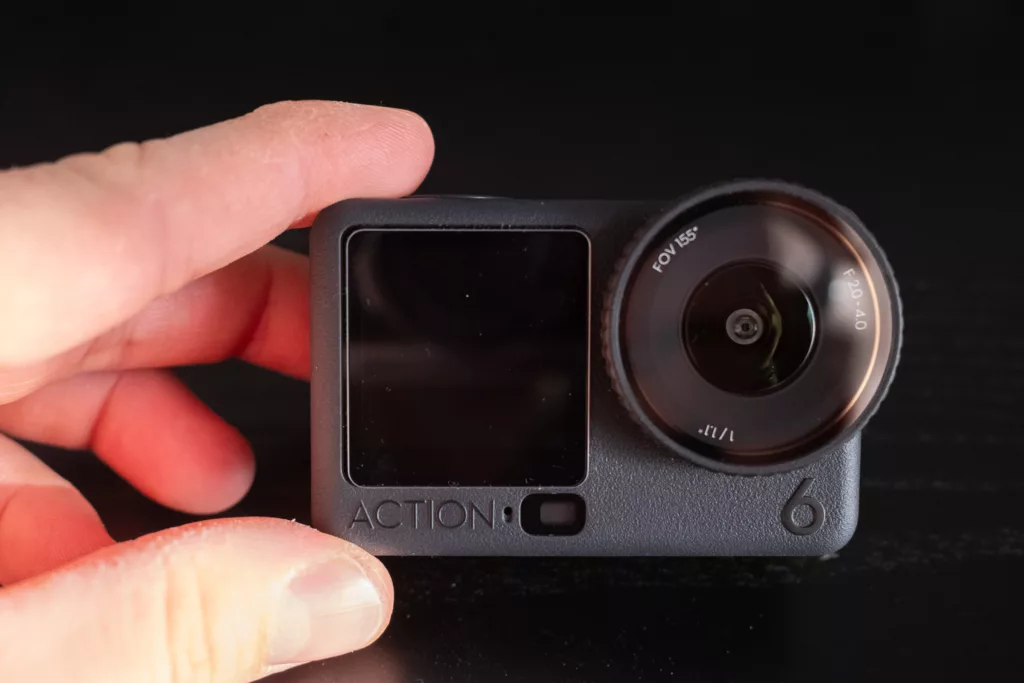
I don’t treat the DJI Osmo Action 6 like a typical action camera.
For me it’s mainly:
- My POV camera for street photography sessions in London
- My behind-the-scenes camera (BTS) on portrait and event shoots
- Sometimes my main YouTube camera when I want to travel light
Full Kit Days
On a “full kit” day, my YouTube and street setup usually looks like this:
- DJI Osmo Action 6 – POV on chest (open gate 1:1)
- DJI Osmo Pocket 3 – talking head + cinematic gimbal shots
- Sony A7R V or Fujifilm X100VI – stills and polished b-roll
In this configuration, the Osmo Action 6 is always running on my chest, giving me continuous POV that I can cut into the video and turn into Shorts.
Super-Light Days
On light days, I want to go out with no backpack, just walking around:
- X100VI in a jacket pocket
- Osmo Action 6 on a magnetic chest mount or another pocket
Without the Action 6, those walks would give me:
- A bunch of photos
- A story in my head, but no video
With the Action 6, I come back with:
- A POV video for YouTube
- Several Shorts / Reels from the same open gate footage
- Extra clips I can use as b-roll in future videos
That’s the main reason this camera has become such a big part of my street photography and YouTube workflow.
What I Like About the DJI Osmo Action 6
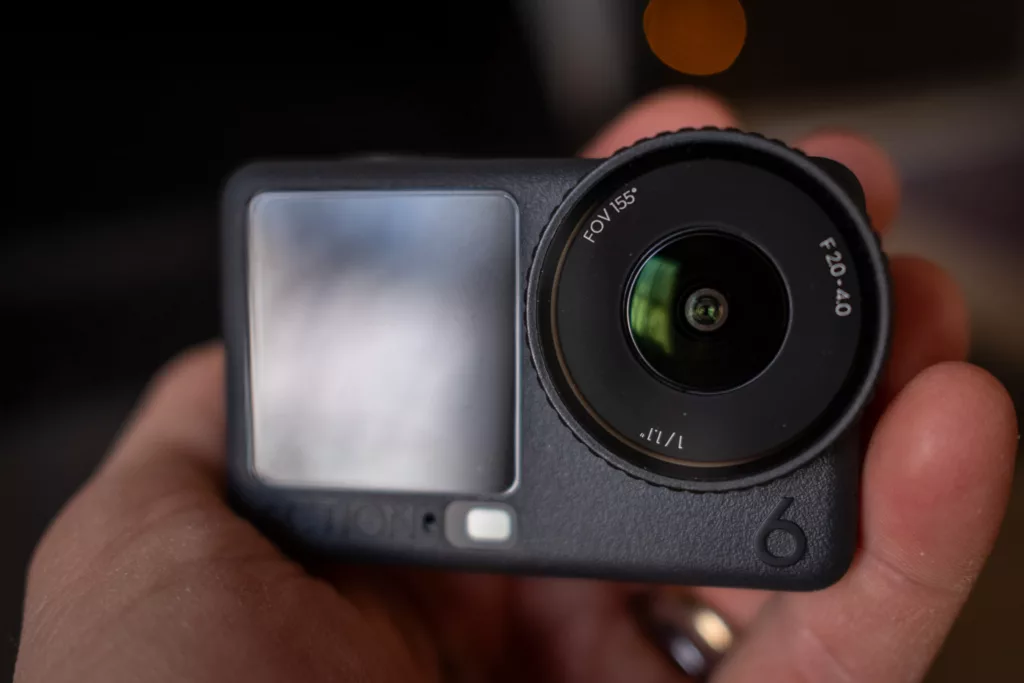
1. Open Gate 1:1 – One Clip, Many Formats
The standout feature for me is the Custom 1:1 “open gate” mode.
I shoot 4K in 1:1 and then, in the edit, I crop:
- 16:9 → for YouTube
- 9:16 → for Shorts, Reels, TikTok
- 1:1 → for Instagram posts
This means:
- I record once
- I use the same clip for multiple platforms
- I don’t need to shoot everything twice (horizontal + vertical)
If you’re a creator publishing in different formats, this one feature alone makes the DJI Osmo Action 6 extremely attractive.
2. Tiny Form Factor – A POV Camera You Forget You’re Wearing
The Osmo Action 6 is genuinely small.
Mounted on a magnetic chest clip, on a small clamp, or dropped into a pocket, it almost disappears.
For street photography, this is important:
- People notice you less than with a big camera pointed at them.
- You feel more comfortable moving naturally, focusing on composition and timing.
It’s exactly what I want a POV action camera for street photography to be:
always with me, never in the way.
3. Decent Low-Light Performance for POV
It’s still an action camera, so expectations need to be realistic. But with the right DJI Osmo Action 6 settings, I find:
- Low-light POV footage is usable for YouTube and Shorts.
- It performs significantly better than my old GoPro Hero 9 in the same situations.
- If you avoid extreme in-camera noise reduction and do a bit of work in post, night street clips look fine.
For my London street photography POV at night, the Action 6 gives me a good balance between image quality and convenience.
4. Audio – Works Great With DJI Mic 2
For POV, audio is half of the story. You want to hear my voice clearly but still feel the city around us.
The DJI Osmo Action 6 + DJI Mic 2 combo gives me:
- A compact wireless audio setup
- Clean, reliable voice recording
- A rig that stays small and light on my chest
This is a big improvement over the more complicated audio setups I had with older action cameras.
5. Battery Life and Internal Storage
Two small but important advantages:
- Battery life is better than I expected. I can cover long POV sessions in one go.
- 50GB of internal storage has already saved me multiple times when I forgot to put the SD card back in.
Being able to record a full session thanks to internal memory is a huge plus in real-world shooting.
What I Don’t Like About the DJI Osmo Action 6 (And Why It’s Mostly Firmware)
Now for the negative side of this DJI Osmo Action 6 review.
Most of the problems I have with this camera are firmware / UX related, which means they feel fixable.
1. Aperture Control and D-Log Limitations
In normal video mode with D-Log, you’re essentially working at around f/2.8–f/4.
If you want to shoot at f/2.0, you have to use the Super Night / Large Aperture mode, and that mode doesn’t give you D-Log.
This means you currently:
- Can’t have f/2.0 and D-Log together in a standard video mode
- Lose flexibility in how you control depth of field and motion blur in log footage
For someone who likes to grade in post and keep motion natural, this is quite frustrating.
2. Bitrate Behaviour (Jumping Back to Medium)
On my unit, bitrate has an annoying habit of going back to Medium.
The problems:
- There is no simple global “always use High bitrate” lock.
- I managed to record an entire session at Medium bitrate without noticing.
The footage was still usable, but this is exactly the kind of surprise you don’t want in a camera you use for professional or semi-professional work.
3. Custom Profiles That Don’t Feel Fully Custom
The custom profiles on the DJI Osmo Action 6 are helpful, but limited:
- You can’t rename your custom profiles
- So instead of “Street Day”, “Night POV”, “Studio”, you’re stuck with generic labels
- Sometimes when you tweak settings inside a custom profile, the camera can move you back to a default mode, which may also change bitrate and other parameters
So you carefully set up a preset, adjust one setting for a single shot, and suddenly you’re no longer in the profile you created. This makes it harder to trust the camera in fast-paced situations.
My Firmware Wishlist for DJI
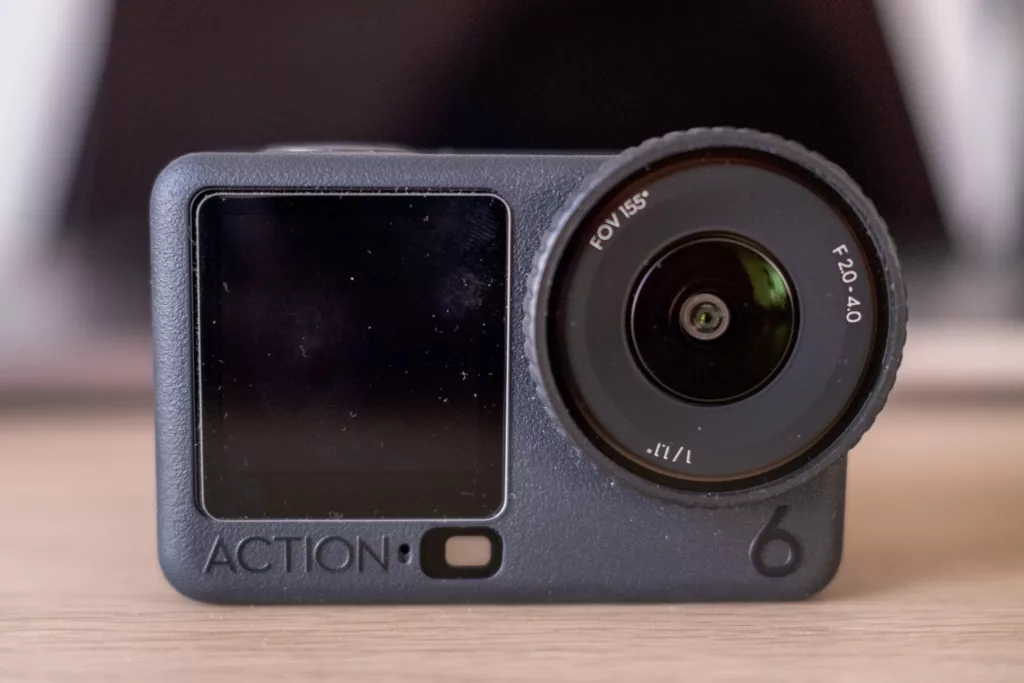
If DJI ever updates the firmware, here is my simple wish list that would make the Osmo Action 6 almost perfect for POV:
- Allow D-Log at f/2.0 in a normal video mode
- Let us set and lock High bitrate as the default
- Allow renaming custom profiles
- Make sure adjusting one parameter doesn’t kick us out of custom mode
Small software changes, big difference for people using the DJI Osmo Action 6 as a POV and creator camera.
My DJI Osmo Action 6 Settings for POV (Daylight, Low Light, Slow Motion, Studio)
A key part of this post is sharing the Osmo Action 6 settings that work for me in real-world street photography and YouTube.
These are not “the only correct” settings, but they’re a solid starting point for anyone using the camera as a POV / creator tool.
Note on Sharpness, Texture and Noise Reduction
Many users recommend setting sharpness / texture / noise reduction to -2 to avoid over-processed footage.
On the DJI Osmo Action 6, I find that:
- Going to -2 / -2 makes footage too soft and too noisy
- Leaving everything at 0 / 0 gives me:
- A cleaner base image
- More flexibility to fine-tune sharpness and noise reduction in post
So all my presets below use Texture 0 and Noise Reduction / Sharpening 0.
Preset 1 – Daylight POV (DJI Osmo Action 6 Street Settings)
- Resolution: 4K 24/25fps
- Colour: D-Log
- Aspect ratio: Custom open gate (1:1)
- Dewarp: Standard
- Stabilisation: Horizon Balancing
- Exposure: Auto
- White Balance: AWB
- Image adjustments: Texture 0, Noise reduction / Sharpening 0
- Bitrate: High
I use this preset for daytime street photography POV in London – walking around, crossing streets, capturing everyday life.
Preset 2 – Low-Light / Night POV
- Resolution: 4K 24/25fps
- Colour: D-Log
- Aspect ratio: Custom open gate (1:1)
- Dewarp: Standard
- Stabilisation: Horizon Balancing
- Exposure: Manual
- Shutter: 1/50
- ISO: 100–12,800 (I let it climb when necessary)
- White Balance: AWB
- Image adjustments: Texture 0, Noise reduction / Sharpening 0
- Bitrate: High
Locking the shutter at 1/50 keeps motion natural.
I accept some noise and deal with it in editing rather than letting the camera over-smooth the image.
Preset 3 – Slow Motion / Movement
- Resolution: 4K 120fps (slowed down on a 24/25fps timeline)
- Colour: D-Log
- Aspect ratio: Custom open gate (1:1)
- Dewarp: Standard
- Stabilisation: Horizon Balancing
- Exposure: Auto (I don’t use ND filters on this camera)
- White Balance: AWB
- Image adjustments: Texture 0, Noise reduction / Sharpening 0
- Bitrate: High
I use this preset for:
- People crossing streets
- Traffic
- Little moments where slow motion adds emotion or clarity to the scene
Preset 4 – Studio / Talking Head (Shot on Osmo Action 6)
- Resolution: 4K 24/25fps
- Colour: D-Log
- Aspect ratio: 16:9 or Custom open gate (1:1)
- Dewarp: Standard
- Stabilisation: Horizon Balancing
- Exposure: Manual
- Shutter: 1/50
- ISO: 100
- White Balance: AWB or fixed Kelvin (if you use constant lights)
- Image adjustments: Texture 0, Noise reduction / Sharpening 0
- Bitrate: High
I use this when I record studio talking-head videos with the Osmo Action 6, especially when I want the entire video to be “shot on Action 6” to show what it can do.
DJI Osmo Action 6 vs GoPro Hero 9 vs Osmo Pocket 3 (Quick Summary)
If you’re trying to decide between these for POV and street photography:
- GoPro Hero 9
- Good stabilisation, older tech
- Weak in low light
- No open gate workflow
- Fine if you already own it, but I wouldn’t buy it new in 2025
- DJI Osmo Pocket 3
- Amazing image quality and low-light performance
- Great for cinematic b-roll and talking head
- Not truly pocketable once rigged to the chest
- Vertical video still feels like a compromise; often you need to shoot twice
- DJI Osmo Action 6
- Best open gate 1:1 workflow for multi-platform content
- Tiny form factor, perfect as a POV camera
- Good enough in low light for POV
- Works perfectly with DJI Mic 2
- Some frustrating firmware quirks (aperture control, bitrate, custom profiles)
For my use, the Pocket 3 remains my “mini cinema camera”, and the Osmo Action 6 is now my main POV and BTS camera because it’s the one I always have with me.
Final Thoughts – Is the DJI Osmo Action 6 Worth It for POV?
If you’re a street photographer, filmmaker or content creator looking for a POV camera that:
- Is small and discreet
- Works well with DJI Mic 2
- Offers a clever open gate workflow for YouTube + Shorts + Reels
- Delivers acceptable low-light performance with the right settings
…then the DJI Osmo Action 6 is absolutely worth a serious look.
It’s not perfect, especially from a firmware and UX point of view, but for me it has become a key part of my street photography and YouTube setup.
Feel free to start from the DJI Osmo Action 6 settings shared above and tweak them to match your style.
Your Turn – What’s Your Favourite Action Camera and POV Setup?
I’d love to know:
- What’s your favourite action camera right now (DJI, GoPro, Insta360, anything)?
- What settings do you use for POV (resolution, frame rate, colour profile)?
Drop a comment below or under the YouTube video – I’d love to test some of your settings and maybe mention them in a future video.
Work With Me in London
I’m Rossano (PhotoRox), a street, portrait and event photographer based in London.
If you’d like to:
- Improve your street photography
- Learn how I shoot POV in London
- Or book a cinematic portrait or event session
You can find more information here:
- 1:1 Street Photography Workshop – London – [link]